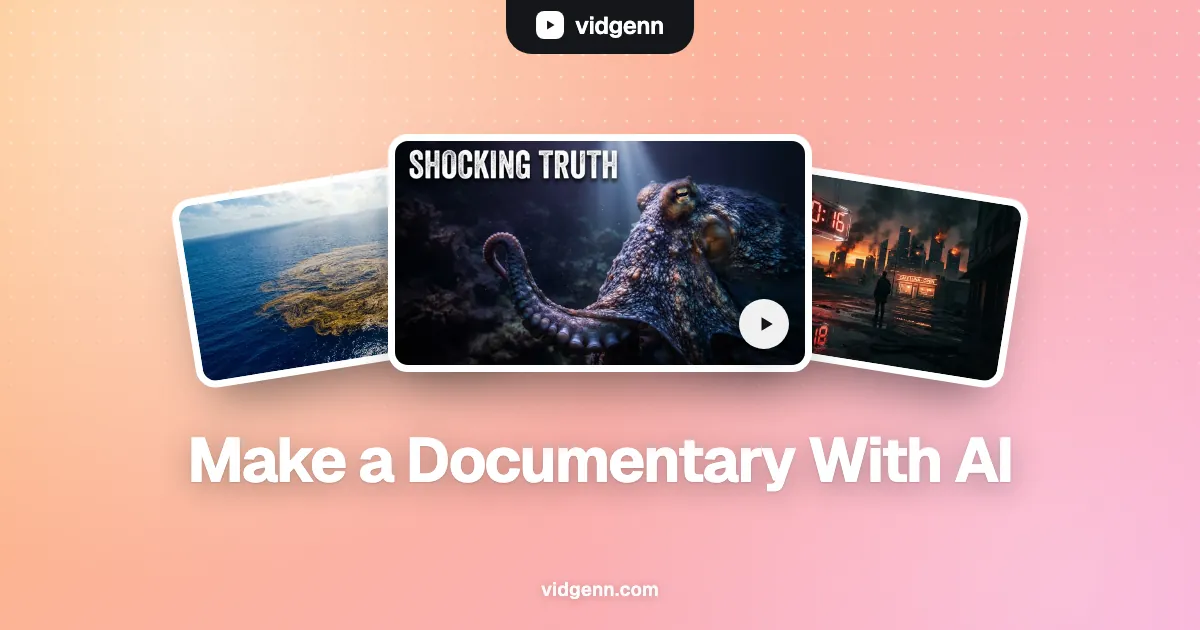
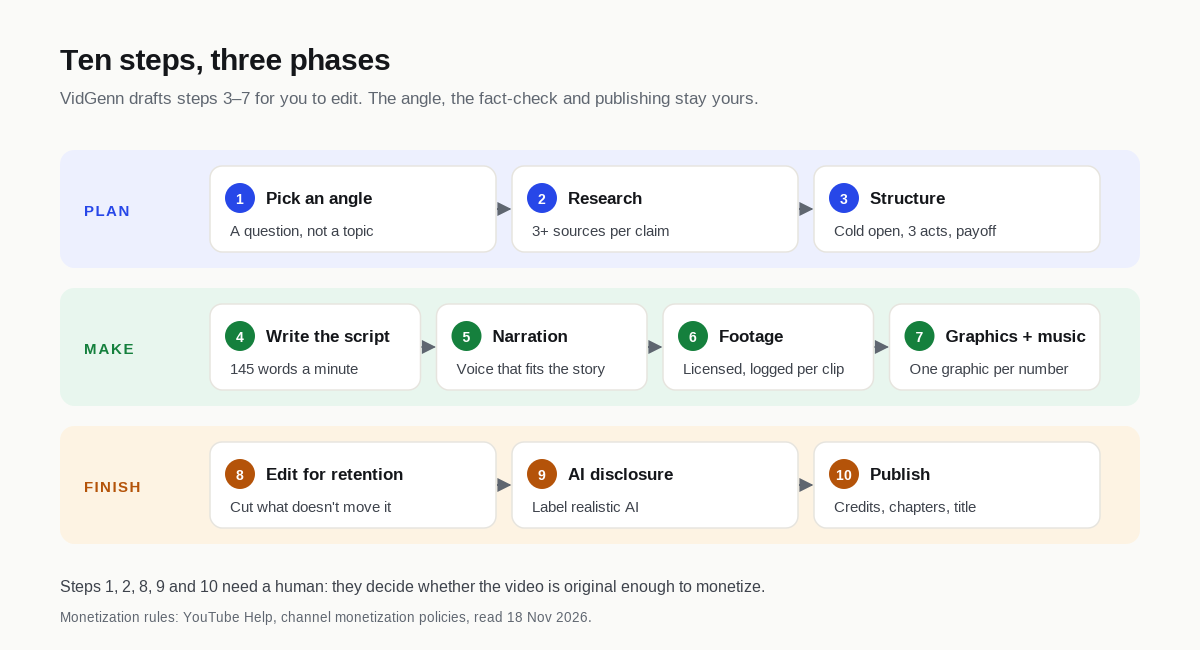
To make a documentary with AI, you pick a sharp story angle, research and fact-check it, write a script of about 145 words per minute, and add narration, licensed footage, graphics for the facts and music. AI can draft the script, voice it and assemble the footage, but you still choose the angle, check the facts and publish. A documentary video maker AI is software that turns a topic or script into a finished, narrated documentary from real footage and graphics.
This guide walks through ten steps, using one real example: a VidGenn documentary on how smart octopuses are. Each step also says how to do it by hand, with separate tools. VidGenn publishes this guide; if you're comparing tools first, read the best AI documentary video generators.
How we checked: YouTube rules come from YouTube Help (monetization policies, AI disclosure, chapters and mid-roll ads), read on 18 November 2026. Screens and frames are from VidGenn's studio and its octopus example video. Script lengths and costs are our arithmetic, shown in full.
Key takeaways: (1) A 10-minute documentary needs about 1,450 words of script at 145 words a minute. (2) Use footage whose license allows commercial use, and log every clip's source. (3) Put a graphic on screen for every number and date. (4) Label realistic AI scenes when you upload; AI script help and AI narration of your own story don't need a label.
Step 1: Pick a story angle, not just a topic
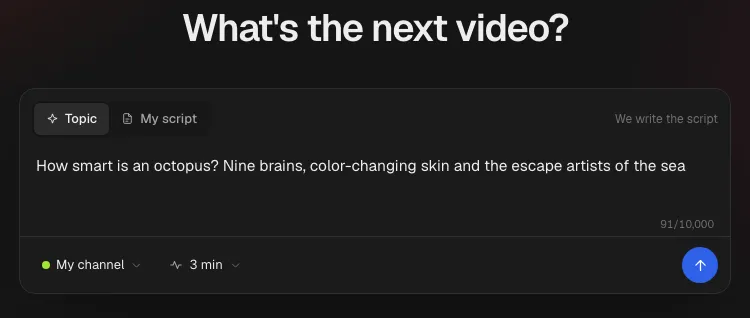
“Octopuses” is a topic. “How smart is an octopus?” is an angle: a question the whole video answers, with a payoff at the end. An angle gives the script a direction and gives viewers a reason to stay.
- Turn the topic into a question a curious person would type: why, how, what if, what happened.
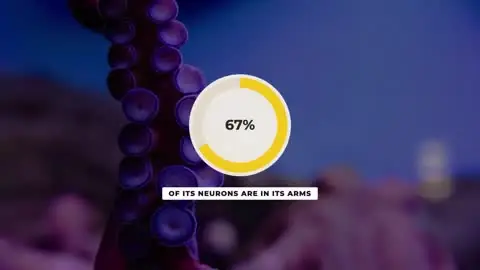
- Find the surprising fact that opens the video. For octopuses, it's that most of their neurons are in their arms.
- Check the competition. Search the question on YouTube. If the top results are old or thin, there's room for yours.
A good angle also decides what you leave out. A 10-minute video can't cover everything about octopuses, but it can answer one question well: how smart they are, with three pieces of evidence and one surprise. Write the question at the top of your script and cut any section that doesn't help answer it.
In VidGenn: type the angle, with the details you want covered, into the topic box and pick a length (3, 5, 8, 10, 15 or 20 minutes). By hand: write the question and three surprising facts on one page before you research. For more ideas, see faceless YouTube channel ideas and the best niches for documentary channels.
Step 2: Research and fact-check
This is the step that separates a documentary from a list of claims. AI can gather facts quickly, but it can also state a wrong date or number with total confidence. Treat every AI-written fact as a lead to check, not an answer.
- List every claim in the script: each number, date, name and “first” or “largest”.
- Check each one against two independent sources, and prefer primary ones: a university, a museum, a journal, NASA or a government agency.
- Note the source next to the claim in a simple log. You'll reuse it in the description.
- Cut or soften what you can't confirm. “Scientists think” is fine when that's the honest state of the evidence.
| Kind of claim | Strong source | Weak source |
|---|---|---|
| A number or measurement | A peer-reviewed paper, a university or a science agency | A “facts” listicle with no references |
| A date or event | A museum, an archive or a national library | A social post or a video comment |
| A quote | The original speech, letter or interview | A quote site with no citation |
| A “first”, “largest” or “only” | The record holder or the measuring body | Another YouTube video |
In VidGenn: with research on, the AI reads Wikipedia and other public sources before writing, and you edit every line before rendering. Checking the numbers is still your job. By hand: a spreadsheet with three columns (claim, source 1, source 2) is enough.
Step 3: Structure it: cold open, acts, payoff
Most YouTube documentaries follow the same shape. A cold open starts with the strangest fact, before any introduction. Three acts set the scene, raise complications and reach a turning point. The payoff answers the opening question and calls back to the cold open.
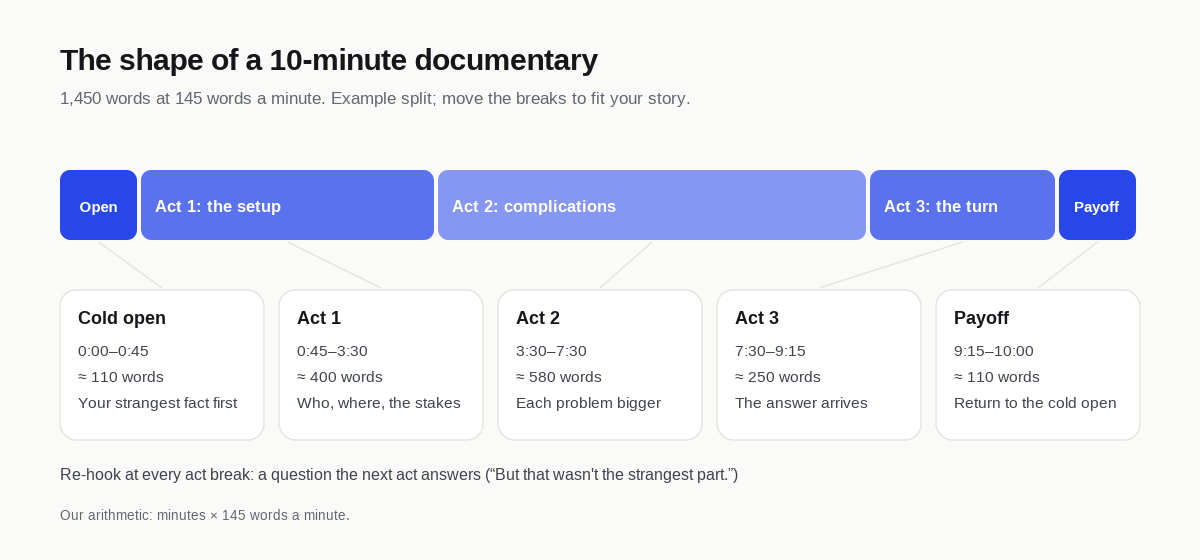
At the end of each act, add a re-hook: one line that raises the question the next act answers. It's the simplest way to stop viewers leaving in the middle. The full method is in how to write a documentary script for YouTube.
Step 4: Write the script to length
Narration for documentaries runs at about 145 words a minute, so length is simple arithmetic: minutes × 145. Write to the length the story needs, not to a target. A tight 8-minute video beats a padded 15-minute one.
| Video length | Script words (× 145) | Good for |
|---|---|---|
| 3 minutes | ≈ 435 | A single fact or a test video |
| 5 minutes | ≈ 725 | One question, one answer |
| 8 minutes | ≈ 1,160 | The shortest length that can carry mid-roll ads |
| 10 minutes | ≈ 1,450 | Most explainers and nature stories |
| 15 minutes | ≈ 2,175 | A full history or biography |
| 20 minutes | ≈ 2,900 | Deep dives with several chapters |
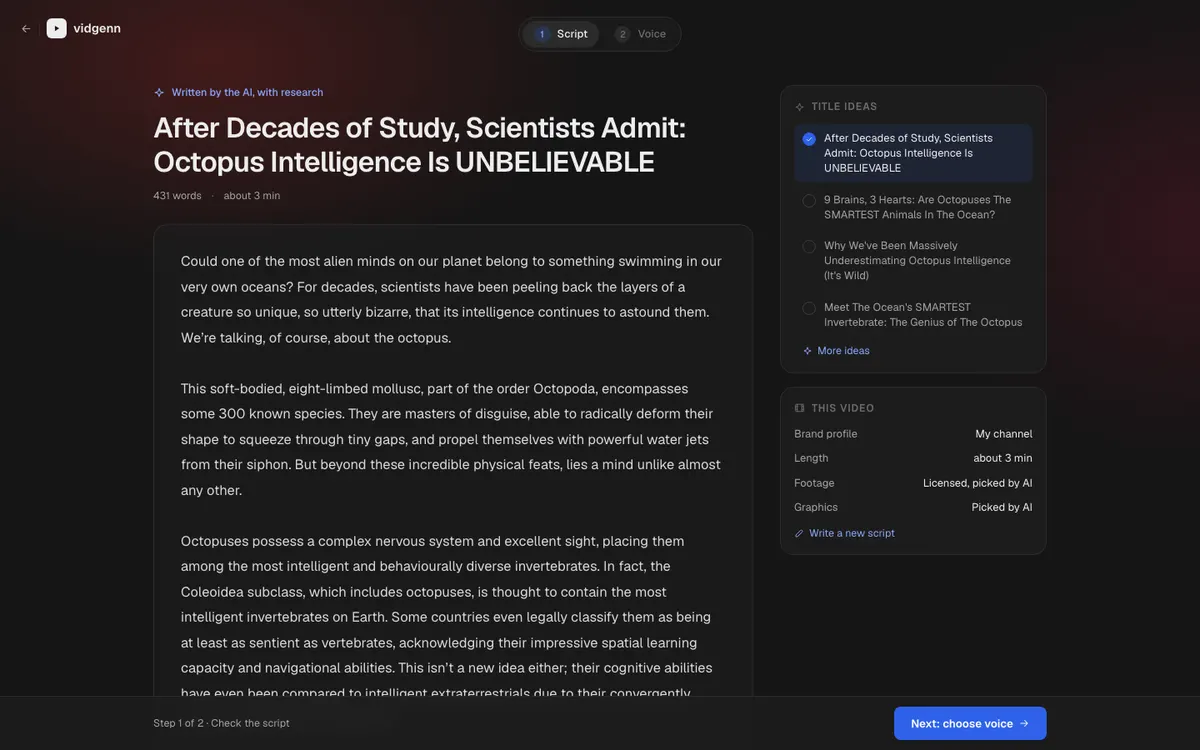
In VidGenn: it writes title options and the script while you watch, shows the word count and length, and every line is editable. Or paste your own script (in the My script tab) and it's read word for word. By hand: draft with a chatbot if you like, then rewrite it in your own words. Read it aloud and time it.
Step 5: Choose the narration
A documentary voice should be calm, clear and steady over ten minutes. Pick the voice for the subject: a deep, measured voice for history or true crime, a warmer one for nature. Then listen for names and numbers, which is where AI voices slip.
In VidGenn: pick one of 24 ElevenLabs narrators, filtered by male or female, in English, Portuguese, Spanish, French, German or Italian. By hand: record yourself with a decent microphone, or use a text-to-speech service on a paid plan so you can use it commercially. Our ElevenLabs for YouTube guide covers plans, credits and settings.
Step 6: Find archival footage and license it properly
Footage is where most documentary channels get into trouble. A clip found on Google, YouTube, TV or a film is not yours to use. Use libraries that state a license on every item, and check that the license allows commercial use, since a monetized channel is commercial.
| License you see | Use on a monetized channel? | What to do |
|---|---|---|
| Public domain, or US-government media such as most NASA content | Yes, but no logos or implied endorsement | Credit NASA as the source and log it |
| CC0, Pexels or Pixabay license | Yes | Log the source; no credit required, but it's good practice |
| CC BY or CC BY-SA | Yes, with credit | Credit the author and license in the description |
| CC BY-NC (non-commercial) | No | Skip it |
| No license shown | No | Skip it |
Two catches. NASA says its material is generally not subject to US copyright, but its insignia and logos are not public domain, and NASA sometimes posts third-party material that it only has permission to use. And Creative Commons licenses differ in what they require: the CC license list explains BY, SA and NC in plain words.
In VidGenn: every sentence gets licensed real footage from NASA, Wikimedia Commons, the Internet Archive, Pexels and Pixabay (plus Openverse for images), never AI-generated clips. A credits file lists every source. By hand: search those same libraries, and keep a log of each clip's link, author and license as you download it. More in copyright-safe documentary footage and free stock footage sites for YouTube.
Step 7: Add graphics for facts, then music
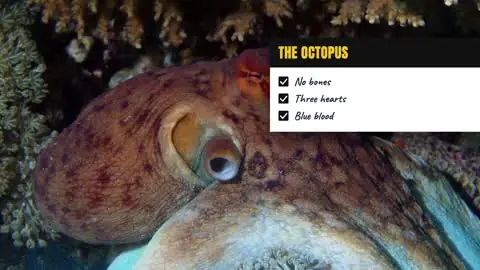
Every number, date and list in your script is a chance for a graphic. A counter for “500 million neurons” lands harder than narration alone, and viewers who watch without sound still get the point. Keep each graphic on screen while the sentence that states it plays.
Music sets the mood but should sit well under the voice. Use tracks whose license covers monetized YouTube videos, keep the license, and change the track when the mood of the story changes, usually at act breaks.
In VidGenn: a motion graphic is designed for every fact, from 184+ designs such as counters, maps, timelines and checklists, and you can swap any of them in the editor. By hand: build templates once in your editor (a counter, a map, a timeline) and reuse them.
Step 8: Edit for retention
A documentary that's accurate but slow still loses viewers. Watch the whole cut once as a viewer, not as the maker, and fix these:
- The first 30 seconds: the cold open must start with the strangest fact, not “In this video…”.
- Shots that don't match the sentence: the wrong species, the wrong decade, the wrong place. Swap them.
- Shots held too long: change the picture every few seconds while the narration moves on.
- Lines that repeat: cut anything said twice. Shorter is almost always better.
- Act breaks: check each one has a re-hook line.
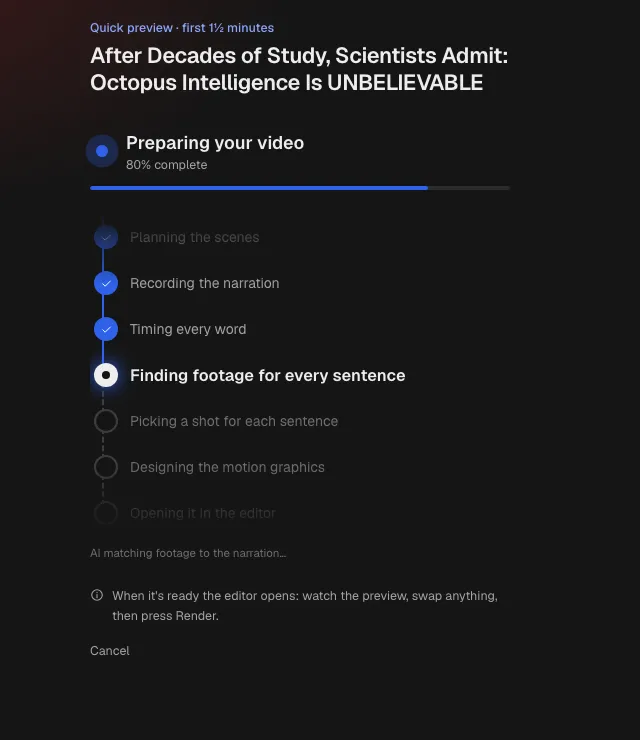
In VidGenn: the plan opens in an editor before rendering, where you swap shots and graphics. Edits and re-renders don't use minutes. By hand: any editor works; the checklist is the same.
Step 9: Add the AI disclosure where it's needed
YouTube allows AI tools. It asks you to disclose realistic altered or synthetic content: a real person appearing to say or do something they didn't, altered footage of a real event or place, or a realistic scene that didn't happen. You tick the box in YouTube Studio when you upload.
The same page lists minor uses that need no label, such as using AI to create or improve a script, outline, title or infographic, and cloning your own voice for a voiceover. A documentary made from real footage with AI help on the script usually falls on the minor side. If you add an AI-generated scene that looks real, label it.
Step 10: Publish it the right way
- Title and thumbnail: promise the question, not the answer. VidGenn suggests titles but doesn't make thumbnails or upload for you.
- Description: a two-line summary, your sources, and the footage credits (VidGenn's credits file pastes in directly).
- Chapters: list timestamps in the description, starting at 00:00, with at least three, each at least 10 seconds long (YouTube Help).
- Mid-roll ads: available on monetized videos of 8 minutes or longer; place them at natural pauses such as act breaks (YouTube Help).
- AI label: tick it if step 9 applies.
Remember why the human steps matter: YouTube won't monetize mass-produced or templated content. Your angle, your fact-check and your edit are what make the video original. See how to get monetized on YouTube for the thresholds.
Five mistakes that make an AI documentary feel cheap
- Trusting the first draft. An unchecked AI script often contains claims you can't source. Find them before your viewers do.
- Generic intros. “Have you ever wondered…” loses people. Start with the fact that made you choose the topic.
- Lookalike footage. A random ship standing in for the Titanic, or the wrong species of shark, tells viewers you didn't check.
- Numbers with no graphic. If the narrator says a number and the screen shows nothing, the number is forgotten in seconds.
- Copying a format too closely. Ten videos with the same script template and the same structure look mass-produced, which is exactly what YouTube's monetization review refuses.
Every one of these is fixed in the human steps: the angle, the fact-check and the edit. That's also why a good AI documentary still needs your time and attention, even when the assembly is automatic.
Worked example: what a 10-minute documentary takes
Here's the arithmetic (ours) for one 10-minute documentary, the most common length for a new channel:
- Script: 10 minutes × 145 words = 1,450 words, split roughly 110 / 400 / 580 / 250 / 110 across the cold open, three acts and payoff.
- Footage: if the picture changes every 4 seconds, that's 600 seconds ÷ 4 = 150 shots to find, check and log. Every 3 seconds, it's 200.
- Graphics: a fact-dense script might state a number or date every 30 seconds: 600 ÷ 30 = 20 graphics.
- Cost in VidGenn: minutes are the finished length, so 10 minutes × $0.63 = $6.30 on Starter or Creator, × $0.44 = $4.40 on Pro, × $0.30 = $3.00 on Studio.
By hand, the cost is mostly time: finding and logging around 150 clips and building 20 graphics is the slow part of the job. That's the work an AI documentary maker takes on, while you keep the angle, the facts and the final cut. For the same steps with every studio screen, see how to make faceless YouTube videos with AI.
Common questions
Can AI make a whole documentary?
AI can draft the script, narrate it, find footage and assemble the edit. You should still pick the angle, fact-check every claim and review the cut. Those human steps are what YouTube's monetization review looks for; see can you monetize AI documentaries on YouTube.
How long should a YouTube documentary be?
As long as the story needs. Eight minutes or more allows mid-roll ads on monetized videos, and most documentary channels land between 8 and 20 minutes. For longer videos, read how to make long-form videos with AI.
Where do I get footage for an AI documentary?
From libraries with clear licenses: NASA, Wikimedia Commons, the Internet Archive, Pexels and Pixabay. Skip anything non-commercial or unlicensed, and log every clip's source. Our copyright-safe footage guide explains each license.
Do I have to label a documentary made with AI?
Only for realistic synthetic content, such as an AI scene of a real event or a real person made to say something they didn't. AI help with the script, outline or title is listed by YouTube as minor and needs no label.
How many words is a 10-minute documentary script?
About 1,450 words at 145 words a minute. A 20-minute script is about 2,900 words. Read it aloud once to check the pace.