A faceless documentary channel publishes researched, narrated videos about history, science, places or people, and the creator never appears on camera. To start one you need a niche that pays, a list of topics, a repeatable workflow (research, script, narration, footage, graphics, edit), footage you are allowed to use, and enough watch time to join the YouTube Partner Program.
This guide walks through each step with real numbers: what different niches earn per 1,000 views, how long a script should be, which footage libraries are safe, and what YouTube's monetization rules say about AI-assisted videos. At the end there is a worked example: one documentary made in VidGenn, from topic to finished video, with the real screens.
What a faceless documentary channel is
The format is easy to describe and hard to do well. A narrator tells a true story while the screen shows footage, maps, photos and on-screen facts that match each sentence. Nobody needs to be on camera, so the channel is the voice, the research and the editing.
Some of the biggest channels on YouTube work this way. Estimates by faceless.my (March 2026) put RealLifeLore (geography, about 7.9 million subscribers) at $30,000–$80,000 a month, and Wendover Productions (geography and logistics, 4.9 million) and ColdFusion (tech and business history, 5.2 million) at $20,000–$60,000 each. These are outside estimates, not figures the creators publish, and none of these channels is affiliated with VidGenn.
Those channels were built by teams over years. A new channel earns nothing for months. What the format gives you is a business that does not depend on your face, and videos that keep being found long after they are published, because people search for the topic.
Step 1: Pick a niche that pays and that you can show
Two things decide whether a niche works: what advertisers pay to reach its viewers, and whether you can legally get pictures for it.
For the first, the best public data is a study by AIR Media-Tech, which read YouTube Studio data from 300 monetized channels between May 2025 and May 2026. RPM is what the creator receives per 1,000 views, after YouTube's share.
| Niche (AIR Media-Tech) | Median RPM | Middle half of channels |
|---|---|---|
| Education & Science | $10.22 | $2.31–$19.50 |
| Lifestyle | $2.98 | $1.77–$5.24 |
| Entertainment | $2.43 | $0.88–$5.02 |
| Gadgets & Tech | $2.33 | $0.70–$3.71 |
| Gaming | $2.05 | $0.70–$3.62 |
Most documentary topics (history, science, geography, how things work) belong to the education group, which pays the most in the study by a wide margin. The spread is wide too: the middle half of education channels earn between $2.31 and $19.50 per 1,000 views, because RPM also depends on where your viewers live, how long they watch and the time of year.
For the second, ask: can I show this topic without copyrighted clips? Space has NASA's archive. History has public-domain photos and films. Nature has free stock libraries. Recent sport, films and celebrities mostly don't, which makes them poor faceless documentaries. The guide to documentary niches compares nine niches on both counts.
Step 2: Write down 20 topics before the first video
List 20 topics before you publish anything. It shows you whether the niche is deep enough, and it lets you publish on a schedule instead of hunting for an idea every week. If you are still choosing a format, the 48 faceless YouTube channel ideas give an example video for each.
- Start from questions. "Why does Russia own a piece of land between Poland and Lithuania?" works better than "Kaliningrad". Questions with a surprising answer make titles people click.
- Check YouTube search. Type the start of a topic into YouTube and read the suggestions: they are what people actually search for.
- Look for a number, a date or a contradiction. "The 16 weeks that saved Britain" or "The river that isn't a swamp" give the video a spine and the title a hook.
- Prefer evergreen topics. A video about how the Everglades flows will still be found in five years. A video about this week's news will not.
- Drop topics you can't illustrate. If the only footage is a film or a TV broadcast, move on.
Step 3: Research and write the script
The script is the video. Viewers forgive simple visuals; they leave when the story drags or a fact is wrong. Use Wikipedia as a map to the real sources, check every number in two places, and note where each fact came from.
Write for the ear: short sentences, one idea per paragraph, and a hook in the first 15 seconds that promises an answer. Documentary narration usually runs at 130–150 words a minute, so a 10-minute video needs a script of about 1,300–1,500 words.
| Video length | Script length at 130–150 words a minute |
|---|---|
| 5 minutes | 650–750 words |
| 8 minutes | 1,050–1,200 words |
| 10 minutes | 1,300–1,500 words |
| 15 minutes | 1,950–2,250 words |
The script guide covers structure, hooks, and how to write facts that can be shown on screen.
Step 4: Record the narration
Pick one narrator and keep them. The voice becomes the channel's identity, the way a presenter would. A calm, clear voice at a steady pace suits most documentary niches; slower, deeper voices suit history and long, relaxing topics.
You can record yourself, hire a voice actor, or use a synthetic voice. YouTube's rules on altered or synthetic content list AI help with an outline or script, and voice-overs made by cloning your own voice, as uses that need no disclosure label. The label is required for realistic content that makes a real person appear to say or do something they didn't, alters footage of a real event or place, or shows a realistic scene that never happened.
Step 5: Use footage you are allowed to use
This is where most faceless channels get into trouble. Clips from films, TV, news broadcasts or other YouTube videos are not yours to use, and YouTube's reused content policy can stop a channel from earning even when the clips are short and even when the owner gave permission.
There is plenty of footage you can use, as long as you check each file's licence:
| Source | Good for | Credit |
|---|---|---|
| Wikimedia Commons | Historical photos, maps, scans | Depends on the file: CC BY and CC BY-SA need the author and licence |
| NASA | Space, Earth from orbit, launches | NASA asks to be acknowledged as the source |
| Internet Archive | Old newsreels and educational films | Per film; credit appreciated, not required for Prelinger films |
| Pexels | Modern nature, cities, people | Not required |
| Pixabay | Modern stock video and photos | Not required |
Keep a credits file for every video: source, author, licence and link for each clip. It takes five minutes, and it is your proof if a clip is ever claimed. The footage guide goes through each library, the licence types and what to do about false claims.
Step 6: Put a graphic on every fact
When the narrator says a number, a date, a name or a place, show it. A big "500 MILLION" on screen while the narrator says an octopus has more than 500 million neurons makes the fact land, and it gives the eye something new.
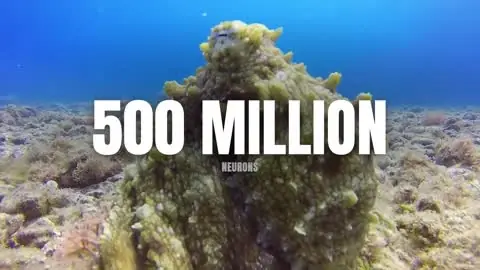
We measured six faceless documentaries in the style that does well today, frame by frame. A designed graphic appeared every 10–15 seconds, and the average shot lasted 2.8–3.6 seconds. That is a good target: cut about every three seconds and show each new fact on screen. VidGenn's motion library shows the kinds of graphics these channels use: stat cards, maps, timelines, name cards, charts and quotes.
Step 7: Get monetized under YouTube's rules
To earn from ads, a channel has to join the YouTube Partner Program. Today the requirements are 1,000 subscribers and either 4,000 qualified watch hours in the last 12 months or 10 million qualified Shorts views in the last 90 days.
From 1 February 2027 the bar for new channels doubles: 1,000 subscribers and either 8,000 qualified watch hours in the last 365 days or 20 million qualified Shorts views in the last 90 days. Channels already in the program keep their status. Source: YouTube Help, Changes to the YouTube Partner Program.
Meeting the numbers is not enough: YouTube reviews each channel against its monetization policies. For AI-assisted channels the policy that matters most is inauthentic content (called repetitious content until July 2025). YouTube does not monetize "AI-generated content made with generic or unoriginal templates giving the impression of mass production", while using AI to edit scripts or make a background visual is allowed. In practice every video needs its own story, research and point of view. The monetization guide quotes the rules in full.
A worked example: one documentary in VidGenn
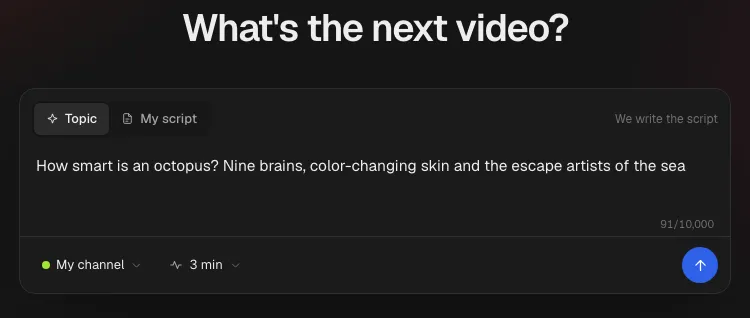
Here is one video going through VidGenn, with the real screens. The topic: how smart octopuses are.
1. The topic
Type a topic, pick the brand profile (your channel's style and narrator) and the length. You can also paste your own script; it is then read word for word.
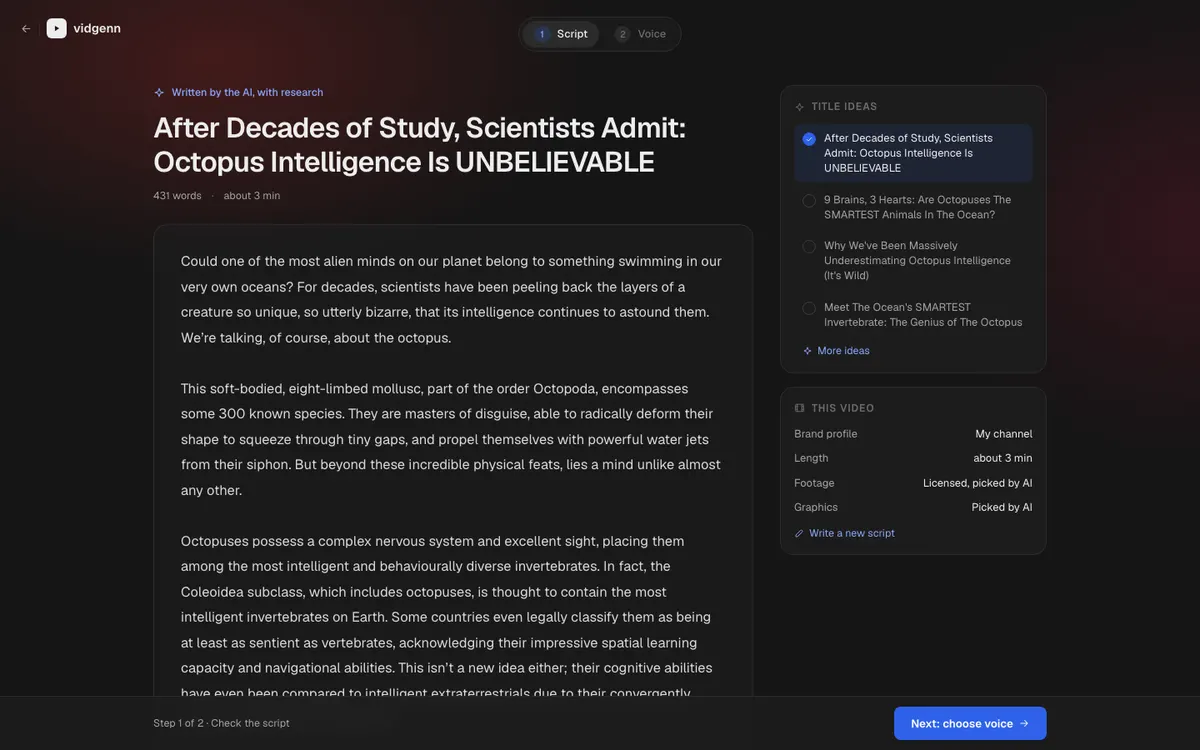
2. The script, in about a minute
The AI researches the topic, then writes four title ideas and the script while you watch. Every line is editable: rewrite the hook, cut a paragraph, correct a fact.
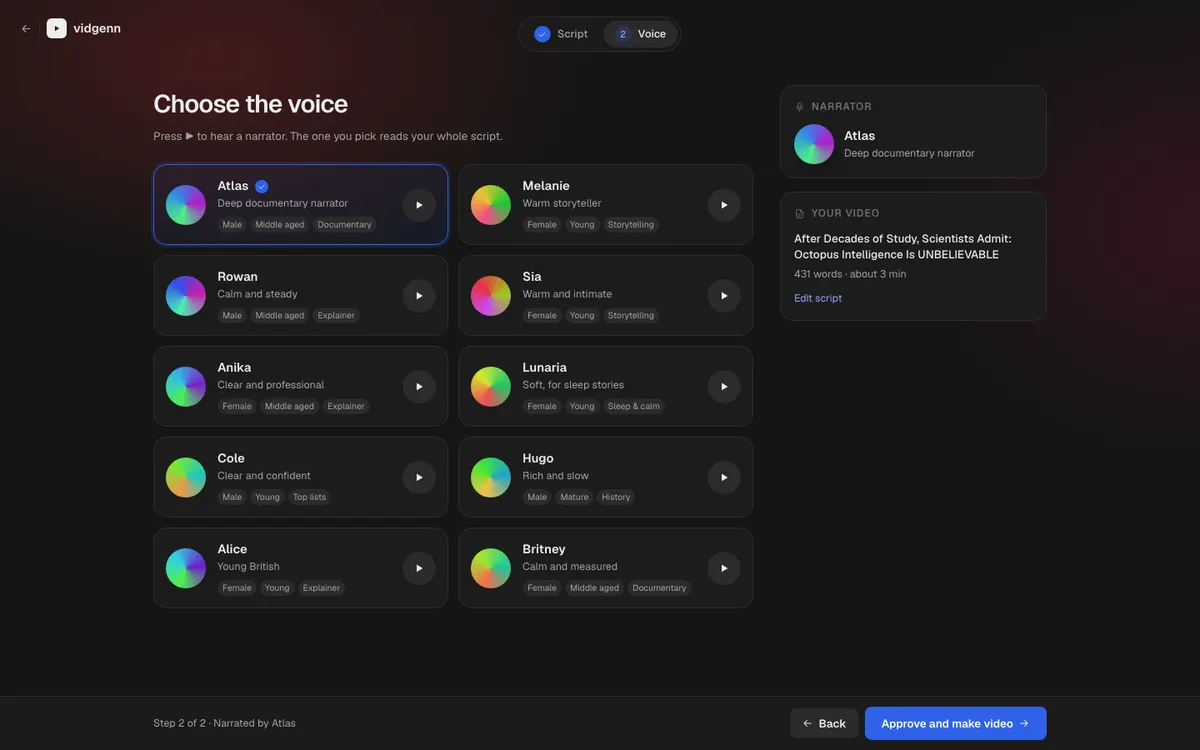
3. The narrator
Pick one of ten narrators. Each has a sample you can play before you choose.
4. Footage and graphics, in about five minutes
VidGenn records the narration, times every word, finds a licensed shot for every sentence and picks a motion graphic for every fact. In our tests in October 2026 this took about five minutes for a full-length video.
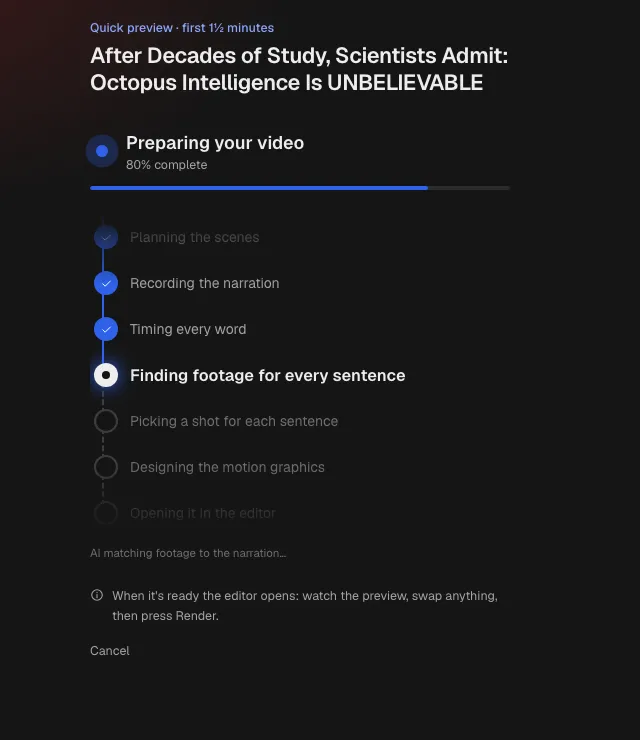
5. Edit, render, download
The plan opens in an editor before anything is rendered. Watch the preview, swap any clip for another licensed one, change a graphic's text or design, then press Render. The finished MP4 comes with a credits file that lists every source.
Tools and costs
You can build this workflow from separate tools: something to research and draft with, a microphone or a text-to-speech service, the footage libraries above, and a video editor. The tools can be cheap. The cost is time: cutting a 10-minute documentary with a shot every three seconds and a graphic on every fact takes an experienced editor many hours. The AI tools comparison lists options and vendor prices for each job.
VidGenn does the whole chain in one place and charges by finished minutes: Starter $19 for 30 minutes a month, Creator $38 for 60, Pro $79 for 180 and Studio $149 for 500. A video that fails costs nothing, and edits and re-renders are free. The plan calculator turns an upload schedule into minutes, and pricing has the details.
Common questions
How long should a faceless documentary be?
Long enough to tell the story properly. Many documentary videos run 8–20 minutes. Longer videos collect more watch time per viewer, but only if the story holds: a tight 8-minute video beats a padded 15-minute one.
How often should a new channel upload?
As often as you can keep the quality. One good video a week is a common target for a small team. Consistency matters more than volume, and under YouTube's inauthentic content policy a stream of near-identical videos is a risk, not an advantage.
Do I have to credit the footage?
It depends on the licence. CC BY and CC BY-SA files require credit; public-domain, Pexels and Pixabay files don't. Crediting everything in the video description is the simple, safe habit, and it helps if a clip is ever claimed.