YouTube automation means running a channel where most of the production (research, script, narration, editing, thumbnails) is done by freelancers, software or AI rather than by an owner on camera. It is a way of producing videos, not a button. YouTube does not ban it, but its rules stop paying channels whose videos are mass-produced, templated or reused. In 2026, AI does most of the work that used to need a team, so those rules are now the part to plan around.
This guide covers the three models of YouTube automation, what each costs, what YouTube's Help Center actually says about AI and automated content, a step-by-step AI workflow that keeps every video original, and an honest look at what works.
What YouTube automation is, and what it isn't
The phrase covers three very different businesses. They get lumped together, but YouTube treats them very differently:
| Model | Who does the work | Main cost | Main risk |
|---|---|---|---|
| Outsourced team (the "cash cow" channel) | Freelance writers, voice actors and editors, managed by the owner | A fee per video for each freelancer | Spending for months before the channel earns |
| AI-assisted | The owner, with AI tools for research, voice, footage and editing | Monthly tool subscriptions and the owner's time | Videos that start to look the same |
| Fully automated uploads | Software that writes, assembles and posts with no human review | Software only | Exactly what YouTube's spam and monetization policies describe |
The first two can build a real channel. The third is the version that gives the phrase a bad name, and YouTube now writes rules against it by name.
What YouTube's rules say about AI and automation
Three Help Center pages decide whether an automated channel gets paid. All quotes below were checked on 1 November 2026.
The spam policy: no mass production
YouTube's spam policy lists "automated or synthetic mass-production": "Using automated tools or AI to churn out high volumes of similar content with minimal changes. While testing out new creation tools or posting a few variations of a video is ok, we don't allow use of these tools to flood our platform with repetitive content." One of its examples is "channels that use the exact same background music and repetitive AI generated imagery across many videos, with each video reading out an AI-generated script." The penalty can be suspended monetization or a terminated channel.
The monetization policy: inauthentic and reused content
On 15 July 2025 YouTube renamed its "repetitious content" policy to inauthentic content, to make clear it covers content that is "repetitive or mass-produced". The monetization policies describe generic content as content "that looks like it's made with a template, or that may feel repetitive to viewers after watching several videos in a row from the same channel", and they don't monetize "AI-generated content made with generic or unoriginal templates giving the impression of mass production without adding the creator's original, authentic insights or perspective".
The same page allows AI tools, with a condition: "If you use automated tools or templates to help create your content, the final product must still demonstrate your creative vision and provide educational or entertainment value." Its example of fine use is "using AI to edit your video scripts or generate a unique background visual for your content". The reused content policy adds that repurposing material from YouTube or other sites needs "significant original commentary, substantive modifications, or educational or entertainment value", even with the owner's permission.
The disclosure rules: label realistic fakes, not tools
YouTube's page on disclosing GenAI content needs no label for production help such as AI used "to create or improve a video outline, script, thumbnail, title, or infographic", for caption creation, or for cloning your own voice for voice-overs. A label is needed when realistic content makes a real person appear to say or do something they didn't, alters footage of a real event or place, or shows a realistic scene that never happened. The page adds that "disclosing AI content alone won't limit a video's audience or impact its eligibility to earn money."
The short version: YouTube judges the videos, not the tools. AI that helps you make a researched, original video is fine. AI that turns one template into a hundred near-identical uploads is what these policies are written against.
What YouTube automation costs
The cost depends on the model. With an outsourced team you pay per video: a script, a voice-over and an edit for every upload. Freelance rates vary too widely by country and experience to quote one fair number, so ask three freelancers to quote one 10-minute video and multiply by your schedule. That per-video cost is what the channel has to earn back, and a new channel earns nothing until it joins the Partner Program.
With AI tools you pay monthly subscriptions instead, and your own time becomes the main cost. A do-it-yourself stack can be cheap because the footage and the editor can be free:
| Job | Free option | Paid option (vendor's own price) |
|---|---|---|
| Footage | Pexels, Pixabay, Wikimedia Commons, NASA | Paid stock libraries, rarely needed for documentaries |
| Editing | DaVinci Resolve (free version), CapCut desktop | DaVinci Resolve Studio: $295 (on sale at $236 when we checked) |
| Script help | Free plans of Claude and Gemini | Claude Pro: $20 a month ($17 billed annually); Google AI Pro: $19.99 a month |
| Narration | Your own voice | ElevenLabs Starter: $6 a month, about 30 minutes of speech; Creator: $22, about 121 minutes |
| Thumbnails | Your own design in any image editor | vidIQ Boost: $19 a month, which lists "click-worthy thumbnails in minutes" |
At monthly prices, Claude Pro and ElevenLabs Creator with a free editor and free footage come to $42 a month. The editing time is still yours: a documentary that cuts every few seconds needs a new clip for nearly every sentence.
An all-in-one tool trades some of that time for a subscription. VidGenn, for example, charges by minutes of finished video: Starter $19 for 30 minutes a month, Creator $38 for 60, Pro $79 for 180 and Studio $149 for 500 (pricing). That works out to about $6.33 per 10-minute video on Starter and Creator, $4.39 on Pro and $2.98 on Studio. A video that fails costs nothing, and edits and re-renders are free.
How to do YouTube automation with AI, step by step
This is what AI YouTube automation looks like in practice. The workflow keeps the parts AI is good at automated and the parts YouTube's rules care about in your hands.
| Step | What AI does well | What you still do |
|---|---|---|
| 1. Niche and topics | Suggests topics and title angles | Pick a niche that pays and that you can show legally (ideas) |
| 2. Research and script | Gathers facts and drafts a structure | Check every number in two sources and add the angle (script guide) |
| 3. Narration | Natural text-to-speech voices | Keep one narrator, so the channel has one voice |
| 4. Footage | Searches libraries and matches clips to sentences | Check each licence and keep a credits file (footage guide) |
| 5. Graphics and edit | Places graphics on facts and cuts to the narration | Watch the whole video; cut what is weak, fix what is wrong |
| 6. Title, thumbnail, description | Drafts options | Choose the honest one; paste the credits |
| 7. Upload and review | Little | Read retention in YouTube Studio and change the next video |
Two habits keep an AI-assisted channel on the right side of the rules. First, vary the videos: different structures, openings and shots, not one template with the nouns swapped. Second, publish at the pace you can review. Ten videos a week that nobody watched before upload is how a channel ends up looking like the spam policy's example.
Faceless YouTube automation: what works and what doesn't
What works
- Education-style niches. In AIR Media-Tech's data from 300 monetized channels, Education & Science had a median RPM of $10.22 against $2.43 for Entertainment.
- Long, evergreen videos. The Partner Program counts watch hours, and from 1 February 2027 new channels need 8,000 of them in a year, double today's bar (YouTube Help).
- One narrator, licensed footage, a graphic on every fact. The style of the large documentary channels, which AI tools can now produce.
- A real editorial pass on every video. It is what the policy calls your "creative vision".
What doesn't
- AI slideshows with the same music and an AI script on every video (the spam policy's own example).
- Reddit posts or articles read aloud over gameplay: "readings of other materials you did not originally create" are not monetized.
- Compilations of clips from TV, films or other channels.
- Uploading daily from one template in the hope that volume beats quality.
Is YouTube automation still worth it in 2026?
It can be, if you treat it as publishing rather than passive income. The numbers are modest at first. At the education median RPM, 100,000 views a month earn about $1,022; at the entertainment median, about $243 (full maths). Before that, the channel has to reach 1,000 subscribers and the watch-hour bar, which takes months of publishing with no income.
What AI changes is the cost of each video. A researched 10-minute documentary used to need a writer, a narrator and an editor; now one person can make it and spend the saved time on research and editing, which are the parts YouTube rewards.
AI tools for YouTube automation
You can build the workflow from single-purpose tools (a chatbot for drafts, a voice generator, an editor) or use an all-in-one AI video generator. The AI tools guide compares both by job, with prices from each vendor's own site.
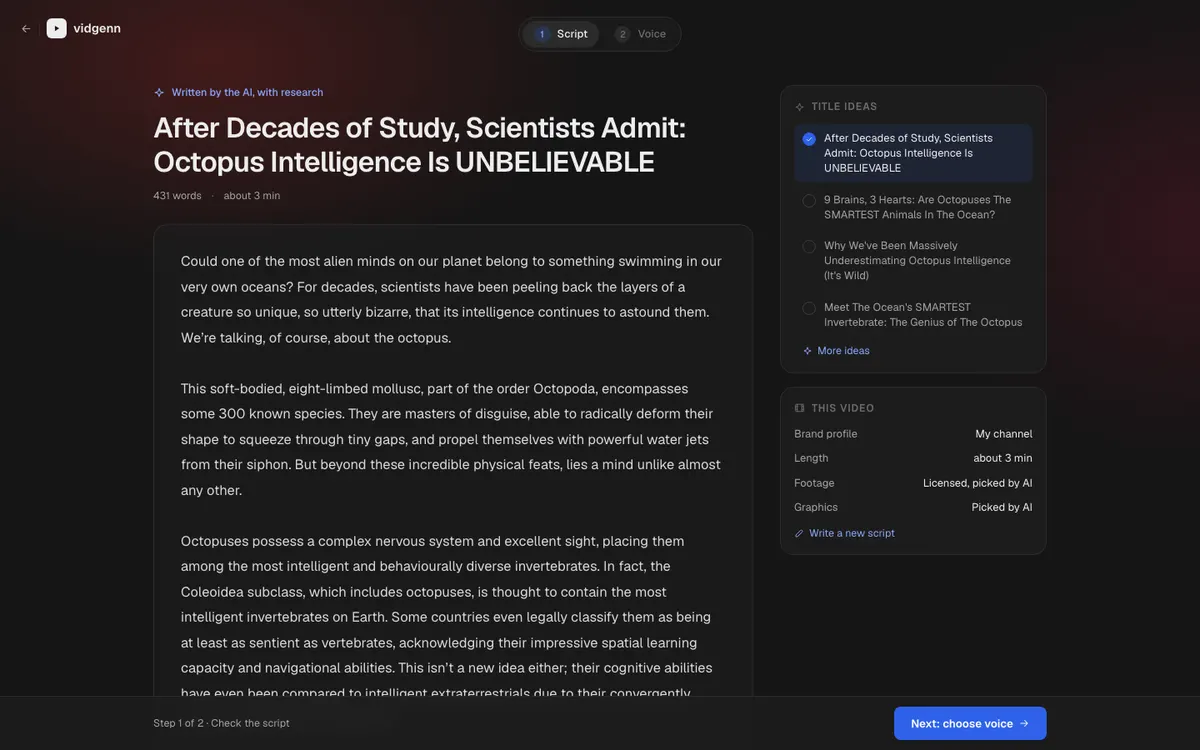
VidGenn is an all-in-one tool for one format: faceless documentaries. From a topic (or your own script) it drafts a researched script you can edit line by line, narrates it with one of ten voices, finds a licensed shot for every sentence, places a motion graphic on every fact, and opens the plan in an editor before rendering. You get a 1080p MP4 and a credits file. It does not upload or schedule videos, design thumbnails, or make Shorts.
Common questions
Is YouTube automation allowed?
Yes. Using freelancers, software or AI to make videos is allowed. What YouTube doesn't allow is using automated tools to "flood our platform with repetitive content", and it doesn't monetize templated, mass-produced or reused videos.
Can an automated YouTube channel be monetized?
Yes, if it meets the Partner Program thresholds and passes review. Reviewers look at the channel's videos, so each one needs its own research, story and editing. The monetization guide has a self-check to run before you apply.
Does YouTube penalize AI voices?
YouTube's policies don't single out AI narration. Its disclosure page lists cloning your own voice for voice-overs as help that needs no label. The rules target repetitive, mass-produced content, whatever voice reads it.
How much does it cost to start YouTube automation?
From almost nothing (free footage, a free editor and your own voice) to several hundred dollars a month with paid tools or freelancers. Start small: make five videos before you pay for anything you aren't sure you need.