True crime is one of the most watched faceless formats, and one of the easiest to get wrong. The story has to be told in strict order, every claim has to hold up, and the people in it are real, often victims and families who are still alive. An AI tool can do the heavy lifting: script structure, narration, footage and graphics. It cannot take the responsibility off you.
This guide compares five AI video tools for faceless true crime channels, plus the YouTube rules that decide whether a crime video earns. VidGenn, which publishes this guide, is our pick for documentary-style cases. We say plainly where it fits and where it doesn't.
How we checked: prices and features come from each vendor's own pricing page on 6 November 2026 (US dollars, monthly). YouTube's policies were read on 9 November 2026. Check both before you rely on them.
Quick picks
- Best overall for documentary-style cases: VidGenn, with evidence boards, timelines and maps from $19 a month
- Best for hour-long case deep dives: VidRush (up to 60 minutes)
- Best for research and scripting: Subscribr
- Best free test with your own script: Pictory
- Best for several video styles in one tool: VidEdge
What a true crime video needs
A clear timeline
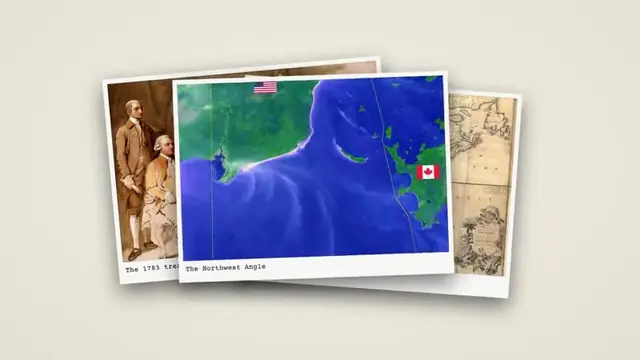
Cases are hard to follow: dates, places, names, statements. The channels that hold viewers show the structure on screen: a timeline of the night, a map pin for each location, a case file that names the people involved. Look for a tool that builds those graphics from your script instead of leaving them to you.
Pictures you may show, and pictures you shouldn't
Crime scene photos, mugshots of people who were never convicted and news footage are rarely yours to use, and some are cruel to show. Faceless crime channels lean on places (streets, buildings, maps), documents, archive newspapers for old cases, and neutral stock shots. Old cases have the most free material: the Library of Congress's free-to-use collections and Wikimedia Commons hold many historical photos and papers.
No AI faces of real people
Do not generate realistic pictures of real victims or suspects. YouTube asks creators to label realistic altered or synthetic content, such as content that makes a real person appear to do something they didn't do or alters footage of a real event. In a crime story that is more than a label: it can put a fake face on a real person.
YouTube's violence and ad rules
YouTube's violent or graphic content policies remove gory or shocking violence, but may make exceptions for content with "educational, documentary, scientific, or artistic context". Ads are a separate test: violence and shocking content are among the topics its advertiser-friendly guidelines list as not advertiser-friendly, which can mean limited or no ads. Tell the story with facts, places and documents rather than graphic detail, and your videos stay both allowed and monetizable.
The five tools compared
| Tool | Starts at | Price per minute | Longest video | Visuals | Free trial |
|---|---|---|---|---|---|
| VidGenn | $19/month | $0.63 → $0.44 | 20 min | Licensed real footage + evidence, map and timeline graphics | No |
| VidRush | $99/month | $2.18 → $1.56 | 60 min | Real footage | No |
| Subscribr | $99/month | $1.50 → $1.20 | 3 hours | AI-generated, 14 styles | Free plan, no video |
| Pictory | $29/month | $0.97 → $0.66 | 30 min | Getty and Storyblocks stock + AI images | 14 days, 10 min |
| VidEdge | $79.99/month | $2.10 → $1.55 | 30 min | Real footage, avatars, animation | No |
VidGenn: best overall for documentary-style cases
VidGenn turns a case summary, or your own finished script read word for word, into a 3 to 20 minute documentary. It narrates with one of 24 ElevenLabs voices, finds licensed footage for each sentence (places, documents, archive photos, neutral stock), and puts a motion graphic on each fact. Its library has the formats crime channels use most: case-file boards, evidence boards, declassified documents, news clippings, map pins and routes, timelines and dates.
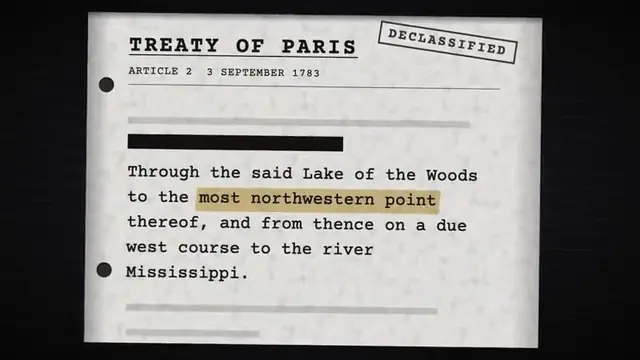
You approve the script line by line, can swap any shot in the editor, and get a credits file listing every source. For a crime channel that is the important part: nothing goes out that you haven't checked.
- Best for: historical cases, mysteries and well-documented crimes told as 8 to 20 minute documentaries.
- Good: the lowest price per minute here, case-file and evidence graphics built in, full control of every line and shot.
- Watch out: no free trial, English only, 20 minutes at most. Recent cases have few free pictures in any tool.
Price: from $19 a month for 30 minutes; Pro is $79 for 180 minutes ($0.44 a minute). See plans.
VidRush: hour-long case deep dives
VidRush makes documentaries from 6 to 60 minutes with real footage. True crime audiences watch long, so channels that publish 40 to 60 minute episodes have a reason to pay its higher price.
- Good: videos up to 60 minutes; credits roll over (up to half a month's); 20% off yearly.
- Watch out: $99 a month to start, about $2.18 a minute; no free trial; refunds only if no credits were used.
Subscribr: research and scripts
Subscribr's strength is before the video: research across a database of 35 million YouTube videos, scripts and thumbnails. It also makes videos up to 3 hours with AI-generated visuals. Use generated pictures carefully in crime stories (see the rule on real people above).
- Good: topic research, scripts, a free plan for ideas.
- Watch out: video plans from $99; generated rather than real pictures; all sales are final.
Pictory: turn your own script into a video
If you already write your case scripts, Pictory turns them into videos with stock footage from Getty and Storyblocks. Its 14-day trial makes 10 minutes of 720p video with Pictory branding, enough to test the format.
- Good: a free trial; large stock libraries; up to 40% off yearly.
- Watch out: made for marketing and explainers, so there are no case-file graphics; no refunds.
VidEdge: real footage, avatars or animation
VidEdge offers four styles in one tool, up to 30 minutes. Some crime channels mix narrated real-footage episodes with animated reconstructions; VidEdge can do both.
- Good: four styles, scripts and thumbnails included.
- Watch out: real-footage minutes from $2.10 each; all charges are final.
A checklist before you publish a crime video
- Source every claim: court records, official statements or reputable reporting, not other YouTube videos.
- Say "alleged" until a court decides, and update or remove videos when a case changes.
- No realistic AI pictures of real people, and label any realistic synthetic scene.
- No gore or crime-scene photos; use places, maps, documents and timelines instead.
- Think about the family. A respectful video ages well; a sensational one gets reported.
Our guide to writing a documentary script covers the hook and structure, which matter even more in a case told over twenty minutes.
Make a true crime documentary with VidGenn
Common questions
What is the best AI for true crime YouTube videos?
For documentary-style cases up to 20 minutes, VidGenn: real footage, evidence boards, timelines and maps, from $0.63 a minute. For hour-long episodes, VidRush.
Can true crime videos be monetized?
They can, but violent or shocking detail may get limited or no ads under YouTube's advertiser-friendly guidelines. Videos that explain a case with facts, places and documents fare better than graphic ones.
Is it OK to use AI images of victims or suspects?
No. Realistic generated pictures of real people can mislead viewers and hurt families, and YouTube asks you to label realistic synthetic content. Use real places, documents and maps instead.