
A Top 10 video is a countdown with a promise: the viewer stays to see number one. That only works if each entry is clear at a glance (its rank, its name, the one fact that earns its place) and if every entry is shown with a real picture of the thing being ranked. An AI tool for a list channel has to do three jobs: write a countdown that builds, find footage for ten different subjects, and put the rank on screen every time.
This guide compares six AI video tools for faceless Top 10 channels. VidGenn, which publishes this guide, is one of them and is our pick for most list videos of 8 to 20 minutes. You will also see where the others do better: hour-long countdowns, a free trial, or Shorts.
How we checked: every price and feature comes from each vendor's own pricing page on 6 November 2026, in US dollars, billed monthly. Minutes marked "about" are worked out from the vendor's own numbers. Prices change often, so check before you buy.
Quick picks
- Best overall for Top 10 channels: VidGenn, with rank graphics on every entry and real footage from $19 a month
- Best for 30 to 60 minute countdowns: VidRush, which lists Top 10 videos as one of its two formats
- Best for Shorts versions of each list: Vid.AI
- Best if you want a free trial first: Pictory (14 days, 10 minutes)
- Best for finding list topics that already work: Subscribr
What a Top 10 video needs from an AI tool
The rank on screen, every time
List viewers skip around. A big "#4" with the entry's name tells someone who just jumped in where they are, and a podium or a ranked table at the end shows the whole list at once. Doing that by hand means ten title cards per video; a tool that adds a rank graphic to each entry's first sentence saves most of the editing.
Real footage of ten different things
A list of the most expensive hotel rooms needs ten real hotels, not ten generated lobbies. Each entry is a new subject, so the tool has to search footage per entry, not per video. Generic stock that could be any hotel makes the list feel fake.
Facts that hold up
Every rank is a claim ("the tallest", "the most expensive", "the oldest"), and list comments are where viewers check them. Measure claims the way your source measures them, say which measure you used (Mauna Kea is the tallest mountain from base to peak; Everest is the highest above sea level), and keep the sources in your description.
Original, not repetitive
List channels are where YouTube's monetization rules bite hardest. Its channel monetization policies exclude inauthentic content that is mass-produced or repetitive, and reused content without your own commentary. A list with your own research, script and ranking reasons is fine; ten clips stitched together with the same template every day is not.
The six tools compared
| Tool | Starts at | Price per minute | Longest video | Visuals | Free trial |
|---|---|---|---|---|---|
| VidGenn | $19/month | $0.63 → $0.44 | 20 min | Licensed real footage + rank graphics | No |
| VidRush | $99/month | $2.18 → $1.56 | 60 min | Real footage | No |
| VidEdge | $79.99/month | $2.10 → $1.55 | 30 min | Real footage, avatars, animation | No |
| Pictory | $29/month | $0.97 → $0.66 | 30 min | Getty and Storyblocks stock + AI images | 14 days, 10 min |
| Subscribr | $99/month | $1.50 → $1.20 | 3 hours | AI-generated, 14 styles | Free plan, no video |
| Vid.AI | $59/month | about $1.48 → $0.66 | 20 min (60 on Plus and Pro) | AI-generated video | No |
VidGenn: best overall for Top 10 channels
VidGenn turns a list topic such as "Top 10 most expensive hotel rooms in the world", or your own script, into a finished 3 to 20 minute video. It writes title options and a countdown script, narrates it with one of 24 ElevenLabs voices, and searches licensed footage for each entry separately, from Wikimedia Commons, Internet Archive, NASA, Openverse, Pexels and Pixabay. Every source goes into a credits file for your description.
What makes it fit list videos is the rank graphics. Each entry can open with a graphic on its first sentence: a big "#1" slam with the name and the reason, a podium, or a ranked table. You can change any rank's text or swap any shot in the editor before you render.
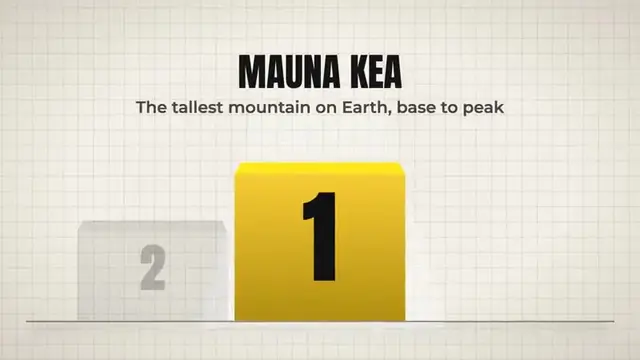
- Best for: Top 10, "most expensive", "tallest", "strangest" and ranked comparison videos of 8 to 20 minutes.
- Good: the lowest price per minute here, real footage searched per entry with a credits file, rank graphics built in, and full control of the script and the order.
- Watch out: no free trial, English only, no Shorts, and videos stop at 20 minutes.
Price: Starter $19 a month for 30 minutes, Creator $38 for 60 minutes, Pro $79 for 180 minutes ($0.44 a minute). See plans.
VidRush: best for 30 to 60 minute countdowns
VidRush makes two formats, long documentaries and Top 10 videos, with real footage, from 6 to 60 minutes. If your list channel publishes very long countdowns, it is built for exactly that.
- Good: Top 10 is one of its two formats; videos up to 60 minutes; unused credits roll over (up to half a month's); 20% off yearly.
- Watch out: starts at $99 a month, about $2.18 a minute, with no free trial; refunds only if no credits were used.
Side by side: VidGenn vs VidRush.
Vid.AI: lists as Shorts too
Vid.AI makes long videos and Shorts with AI video models (Veo, Seedance, Kling), up to 60 minutes on its bigger plans. A list channel that also posts one entry a day as a Short can make both in one tool. The visuals are generated, so they suit "imagine if" lists better than rankings of real places and things.
- Good: Shorts as well as long videos, cinematic generated scenes, refunds on unused credits within 30 days.
- Watch out: generated pictures aren't the real thing being ranked; starts at $59 with no free trial.
VidEdge: several styles in one tool
VidEdge makes faceless videos in four styles: real footage, AI avatars, animation and musical, up to 30 minutes. A list channel that wants a presenter-style intro on some videos and real footage on others can do both.
- Good: four styles, scripts and thumbnails in every plan, videos up to 30 minutes.
- Watch out: real-footage minutes start at $2.10 each, other styles give fewer minutes, and all charges are final.
Pictory: try it free with your own script
Pictory turns a script, article or link into a video with stock footage from Getty and Storyblocks, plus AI images. If you already write your countdowns, you can test it free for 14 days (10 minutes of video, 720p, with Pictory branding).
- Good: the only free trial here that makes real videos; up to 40% off yearly.
- Watch out: stock footage may be generic for specific entries; minutes are "up to" and go faster with AI visuals; no refunds.
Subscribr: find the lists that already work
Subscribr began as a YouTube research and scripting tool, with a database of 35 million videos, and now makes videos up to 3 hours long with AI-generated visuals. For a list channel, its research side helps find which rankings already get views.
- Good: research and scripts, a free plan for ideas, very long videos.
- Watch out: video plans start at $99, the visuals are generated, and all sales are final.
Example: a list video made with VidGenn
Our hotel example started from one line, "the most expensive hotel rooms in the world". VidGenn wrote the script, searched real footage of each hotel separately (the Four Seasons in New York, the Palms in Las Vegas, the Burj Al Arab in Dubai), put a reported-price card on each room ("$80,000 a night, Royal Penthouse Suite, Geneva"), a map pin on the remote ones such as Saint Lucia, and closed with a bar chart of every price side by side.

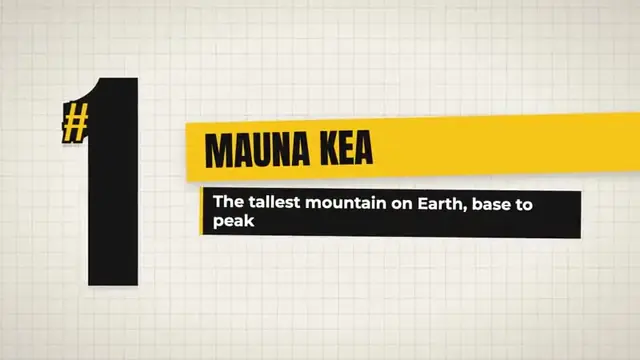
The same workflow fits any ranking with real subjects: mountains, buildings, animals, inventions, battles. Rankings of famous films, songs or sports moments are harder, because their footage is almost all owned by someone.
How to choose
- How long are your countdowns? Up to 20 minutes: VidGenn costs the least per minute. 30 to 60 minutes: VidRush.
- Do you post Shorts too? Vid.AI makes both from one tool; VidGenn and VidRush make long videos only.
- Are your entries real things? For rankings of real places and objects, pick a tool that uses real footage (VidGenn, VidRush, VidEdge).
- Do you want to try first? Pictory's 14-day trial is the only free way to make a full video here.
Common questions
What is the best AI for Top 10 YouTube videos?
For most faceless list channels, VidGenn: it writes the countdown, searches real footage for each entry, puts a rank graphic on every entry and costs $0.63 a minute or less. For countdowns over 20 minutes, VidRush goes to 60.
Can Top 10 channels be monetized?
Yes, when each video is original: your own research, script and reasons for the ranking. YouTube excludes mass-produced or repetitive videos and reused clips without your own commentary. Our guide to monetizing AI documentaries covers the rules.
How long should a Top 10 video be?
Most run 8 to 15 minutes: about a minute per entry plus an intro. At 8 minutes or more, YouTube lets you add mid-roll ads.