Space and science are the friendliest niches for a faceless channel. The pictures are spectacular and much of the best of them is free: NASA's images and video generally are not subject to copyright in the United States. The hard part is numbers. Twenty-five billion kilometres, 33,500 feet, 4.6 billion years: a science video has to make scale and data feel real, and that needs graphics, not just footage.
This guide compares six AI video tools for space and science channels. VidGenn, which publishes this guide, is our pick for documentaries about real science. Where another tool fits better, we say so.
How we checked: prices and features come from each vendor's own pricing page on 6 November 2026 (US dollars, monthly). Minutes marked "about" are worked out from the vendor's own numbers.
Quick picks
- Best overall for space and science documentaries: VidGenn, with NASA and archive footage plus charts and scale graphics, from $19 a month
- Best for "what if" and speculative science: Vid.AI, whose generated video can show things no camera has filmed
- Best for very long videos: VidRush (60 minutes) or Subscribr (3 hours)
- Best free trial: Pictory (14 days, 10 minutes)
- Best for plans with many minutes: VidNext, up to 1,000 minutes a month
What a space or science video needs
Real images first
Viewers come for the real thing: the actual Voyager probe, the actual Pale Blue Dot, the real summit of Mauna Kea. NASA's archive covers missions, planets, launches and Earth from orbit. ESA/Hubble releases its images and videos under Creative Commons Attribution 4.0, so you may use them with a visible credit. Pexels and Pixabay fill in labs, landscapes and everyday science.
Numbers you can see
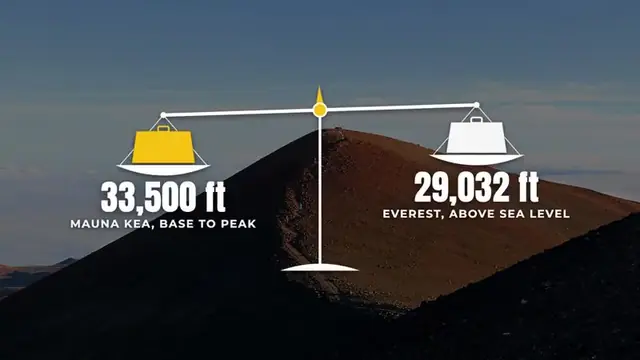
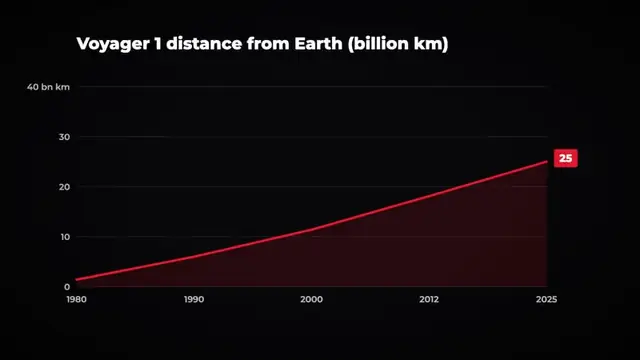
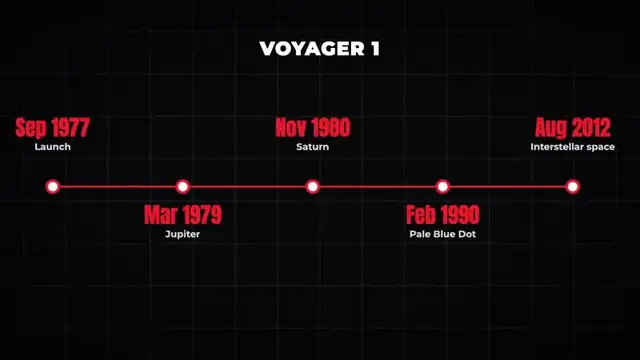
A good science video turns each number into a picture: a big stat over the probe, a line chart of its distance, a scale comparing a mountain with Everest, a timeline of a mission. The best tools add these on the sentence that states the number.
Accuracy you can check
Science viewers fact-check in the comments. Pick a tool that lets you read and edit every line of the script before rendering, and keep a source for each number. Generated footage is fine for illustrating an idea, but label realistic synthetic scenes of real places or events as YouTube asks.
The six tools compared
| Tool | Starts at | Price per minute | Longest video | Visuals | Free trial |
|---|---|---|---|---|---|
| VidGenn | $19/month | $0.63 → $0.44 | 20 min | NASA, archive and stock footage + charts and scale graphics | No |
| Vid.AI | $59/month | about $1.48 → $0.66 | 20 min (60 on Plus and Pro) | AI-generated video | No |
| VidRush | $99/month | $2.18 → $1.56 | 60 min | Real footage | No |
| Subscribr | $99/month | $1.50 → $1.20 | 3 hours | AI-generated, 14 styles | Free plan, no video |
| Pictory | $29/month | $0.97 → $0.66 | 30 min | Getty and Storyblocks stock + AI images | 14 days, 10 min |
| VidNext | $49/month | $1.63 → $1.00 | about 30 min | Not stated on its pricing page | No |
VidGenn: best overall for space and science
VidGenn turns a topic like "how far away is Voyager 1 now?" into a 3 to 20 minute documentary. It writes a researched script you can edit line by line, narrates it with one of 24 ElevenLabs voices, and finds footage for every sentence from NASA, Wikimedia Commons, Internet Archive, Openverse, Pexels and Pixabay, with every source listed in a credits file.
Its 184+ motion graphics include the ones science channels lean on: big stats, line and bar charts, scale comparisons, rings and donuts, year rulers, datelines and mission timelines. Each lands on the sentence that states the fact.
- Best for: astronomy, space missions, earth science, geography and "how it works" channels.
- Good: the lowest price per minute here, real NASA and archive pictures, data graphics on every fact.
- Watch out: no free trial, English only, 20 minutes at most.
Price: Starter $19 a month for 30 minutes; Pro $79 for 180 minutes ($0.44 a minute). See plans.
Vid.AI: speculative science and "what if" videos
Vid.AI generates footage with AI video models (Veo, Seedance, Kling). For topics no camera has filmed, like the surface of an exoplanet or Earth a billion years from now, generated video can show what archive footage can't. For real missions and real places, generated pictures are a weaker choice.
- Good: cinematic generated scenes; Shorts too; up to 60 minutes on Plus and Pro; refunds on unused credits within 30 days.
- Watch out: generated footage isn't a record of real things; from $59 with no free trial.
Compare: VidGenn vs Vid.AI.
VidRush: long documentaries with real footage
VidRush makes 6 to 60 minute documentaries with real footage. Channels that publish hour-long space deep dives get the length; they pay about $2.18 a minute on the starting plan.
- Good: up to 60 minutes; rollover credits; 20% off yearly.
- Watch out: $99 a month to start; no free trial; refunds only if no credits were used.
Subscribr: research-heavy channels
Subscribr combines YouTube research (35 million videos), scripts and thumbnails with video up to 3 hours, using AI-generated visuals in 14 styles. It suits explainer channels that want help picking topics more than real footage.
- Good: research tools, a free plan for ideas, very long videos.
- Watch out: video from $99 a month; generated visuals; all sales are final.
Pictory: a free test with your own script
Pictory turns a script or article into a video with Getty and Storyblocks stock plus AI images. Its 14-day trial gives 10 minutes of 720p video with branding, a cheap way to test a science script.
- Good: free trial; big stock libraries; up to 40% off yearly.
- Watch out: few space-specific shots in general stock; no data graphics from your numbers; no refunds.
VidNext: many minutes a month
VidNext sells minutes of finished video, with plans up to 1,000 minutes a month and longer videos (its length control goes to about 30 minutes). Its pricing page doesn't describe the visuals, so check a sample before you commit.
- Good: big plans; the first redo and first export are free; top-up minutes never expire.
- Watch out: $49 for 30 minutes; visuals not described; credits back only for technical failures.
Example: Voyager 1 in VidGenn
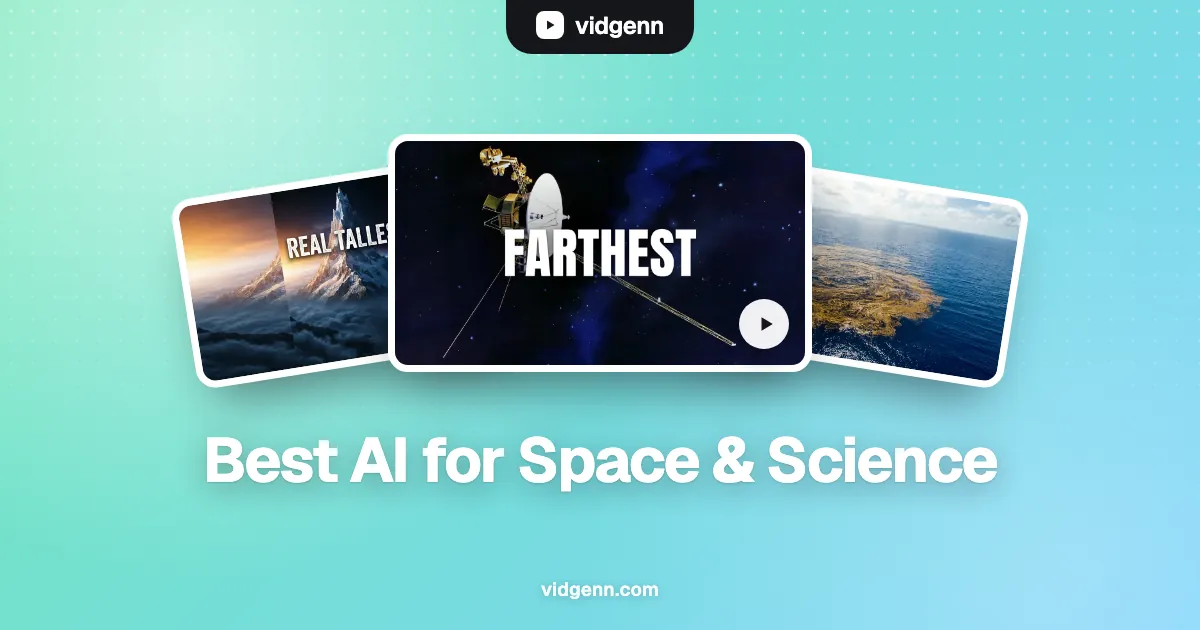
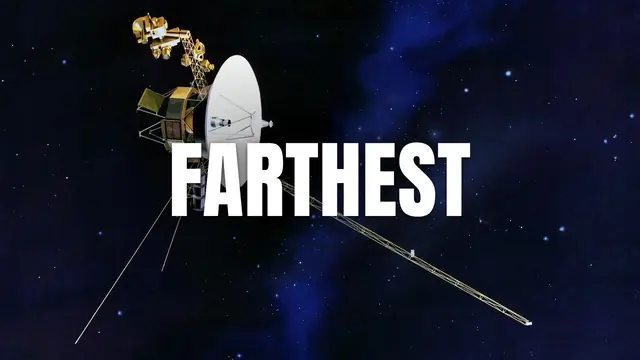
Our Voyager example asks how the farthest object humans have built is still talking to Earth. VidGenn wrote the script around the mission's dates, used NASA pictures of the probe and the launch, and placed a timeline of the mission, a 25-billion-kilometre stat and the distance chart above on the sentences that state them.
How to choose
- Real missions and real places? Pick real footage (VidGenn, VidRush). For speculative topics, generated video (Vid.AI) can work.
- Lots of numbers? Charts, stats and scale graphics added for you save hours of editing.
- Video length: up to 20 minutes, VidGenn is cheapest per minute; 30 to 60, VidRush; longer, Subscribr.
- Try first? Pictory's 14-day trial is the only free way to make a full video here.
Make your first space documentary
Common questions
What is the best AI for space YouTube videos?
For documentaries about real missions and planets, VidGenn: it uses NASA and archive footage, adds charts and scale graphics, and costs $0.63 a minute or less. For speculative "what if" videos, Vid.AI's generated video is an option.
Can I use NASA footage on a monetized YouTube channel?
Generally yes: NASA's images and video are generally not subject to US copyright. Don't imply NASA endorses your channel, don't use its logos as your branding, and check any third-party material in NASA's collections, which can carry its own rights.
Do science channels earn well?
Education & Science had the highest median RPM ($10.22) in AIR Media-Tech's data from 300 channels, though the spread is wide. Our niche guide has the details.