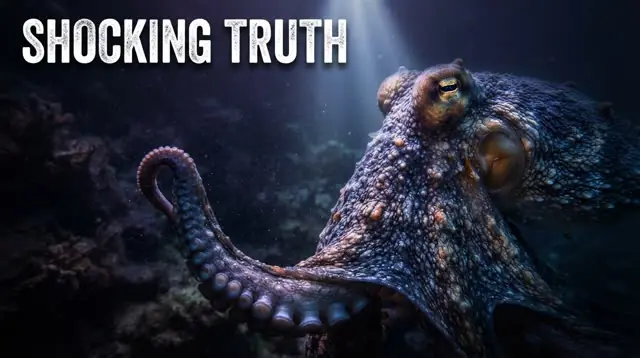
Nature documentaries are built on footage: an octopus opening a jar, a humpback breaching, a river of grass seen from the air. Viewers forgive a plain voice; they don't forgive a fake animal. That makes the choice of AI tool simpler than in most niches. The right one finds real animal and landscape footage for every sentence and leaves the wonder to the pictures.
This guide compares six AI video tools for faceless nature and wildlife channels. VidGenn, which publishes this guide, is our pick for long nature documentaries; for Shorts, another tool fits better, and we say which.
How we checked: prices and features come from each vendor's own pricing page on 6 November 2026 (US dollars, monthly). Minutes marked "about" are worked out from the vendor's own numbers.
Quick picks
- Best overall for nature documentaries: VidGenn, with real animal and landscape footage from $19 a month
- Best for long wildlife films (30 to 60 minutes): VidRush
- Best for animal-fact Shorts plus long videos: StoryShort
- Best free trial: Pictory (14 days, 10 minutes)
- Best for mixing real footage with animation: VidEdge
What a nature video needs
Real animals, behaving like themselves
Free libraries are rich in nature: Pexels and Pixabay both allow free use of their footage, Wikimedia Commons holds scientific photos of rare species, and NASA covers Earth from orbit. What matters is matching: the shot on screen should show the animal and behaviour the narrator is describing, not a generic forest.
Places and scale
Where does the animal live, how far does it migrate, how big is the habitat? A map of a migration route or the Sargasso Sea's floating borders explains it faster than words.
No TV clips
Clips from broadcast nature series are the fastest way to lose monetization: they are owned, and a channel built on them falls under YouTube's reused content policy. Use licensed or public-domain footage and add your own script and edit.
The six tools compared
| Tool | Starts at | Price per minute | Longest video | Visuals | Free trial |
|---|---|---|---|---|---|
| VidGenn | $19/month | $0.63 → $0.44 | 20 min | Licensed real footage + maps and fact graphics | No |
| VidRush | $99/month | $2.18 → $1.56 | 60 min | Real footage | No |
| StoryShort | $39/month (Shorts); $129 for long | about $0.81 → $0.48 (long) | 10 min from an idea | AI-generated | Free sign-up; videos need a plan |
| Pictory | $29/month | $0.97 → $0.66 | 30 min | Getty and Storyblocks stock + AI images | 14 days, 10 min |
| VidEdge | $79.99/month | $2.10 → $1.55 | 30 min | Real footage, avatars, animation | No |
| Vid.AI | $59/month | about $1.48 → $0.66 | 20 min (60 on Plus and Pro) | AI-generated video | No |
VidGenn: best overall for nature documentaries
VidGenn turns a topic like "why humpback whale songs change every year" into a 3 to 20 minute documentary. It writes a researched script you can edit line by line, narrates it with one of 24 ElevenLabs voices, and finds licensed footage for every sentence from Pexels, Pixabay, Wikimedia Commons, NASA, Openverse and Internet Archive. Its footage check rejects shots of animals or objects the story never mentions, so an octopus video stays on octopuses.
Facts get motion graphics: a stat for a whale's song range, a map of a migration, a myth-versus-fact card, a definition of a term. You can swap any shot or change any graphic in the editor before rendering, and you get a credits file listing every source.
- Best for: wildlife, ocean, earth and "how nature works" channels publishing 8 to 20 minute videos.
- Good: the lowest price per minute here, real footage with credits, maps and fact graphics built in.
- Watch out: long videos only (no Shorts), no free trial, English only.
Price: Starter $19 a month for 30 minutes; Pro $79 for 180 minutes ($0.44 a minute). See plans.
VidRush: long wildlife films
VidRush makes 6 to 60 minute documentaries with real footage. Relaxing, hour-long nature films are a real format on YouTube, and VidRush is one of the few tools that reaches that length from one brief.
- Good: up to 60 minutes; credits roll over; 20% off yearly.
- Watch out: $99 a month to start, about $2.18 a minute; no free trial.
StoryShort: animal-fact Shorts
StoryShort is built for Shorts, with long videos on its two biggest plans. Animal facts are a classic Shorts format, and a nature channel that wants daily Shorts alongside longer videos may want it next to a documentary tool. Its visuals are AI-generated, which shows less of the real animal.
- Good: Shorts and long videos in one tool; 40% off yearly; a low price per long-video minute on its biggest plan.
- Watch out: long videos start at $129 a month and run 8 to 10 minutes from an idea; generated visuals.
Pictory: a free test with stock footage
Pictory turns your script into a video with Getty and Storyblocks stock plus AI images, and its 14-day trial makes 10 minutes of 720p video with branding. Stock libraries have plenty of nature, so it's a fair test if you write your own scripts.
- Good: free trial; big stock libraries; up to 40% off yearly.
- Watch out: built for marketing and explainers; minutes are "up to"; no refunds.
VidEdge: real footage or animation
VidEdge makes videos in four styles, real footage, AI avatars, animation and musical, up to 30 minutes. A kids' nature channel might use the animated style; a documentary channel the real one.
- Good: four styles; scripts and thumbnails included.
- Watch out: real-footage minutes from $2.10; all charges are final.
Vid.AI: generated scenes
Vid.AI generates video with Veo, Seedance and Kling. It can picture extinct animals or deep-sea scenes no camera has filmed. For living species, viewers usually prefer real footage.
- Good: scenes no camera has filmed; Shorts too; up to 60 minutes on bigger plans.
- Watch out: generated animals aren't real; from $59 with no free trial.
Examples made with VidGenn
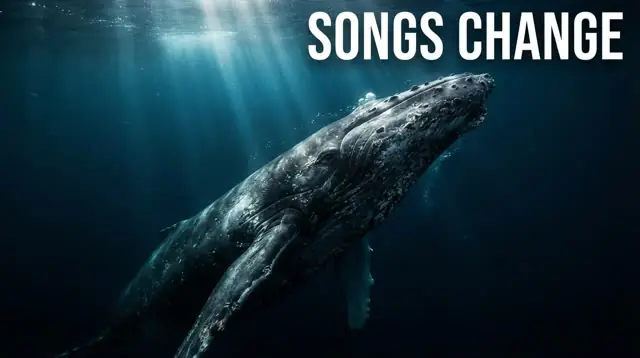
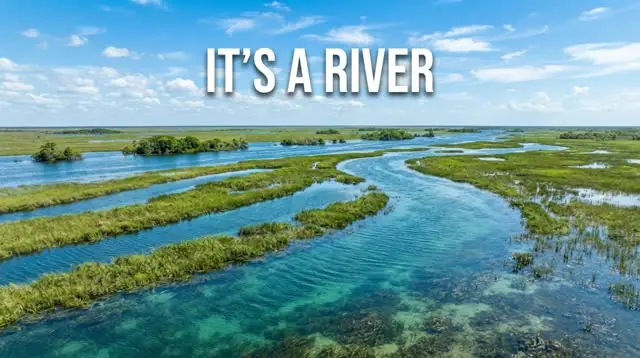
Five of our examples are nature documentaries, each made from one topic: octopus intelligence, humpback whale songs, how sharks sense electric fields, how the Everglades flows like a river, and the Sargasso Sea, the only sea with no coastline.
How to choose
- Real animals or generated ones? For documentaries, pick real footage (VidGenn, VidRush, VidEdge).
- Long videos, Shorts or both? Long: VidGenn up to 20 minutes, VidRush up to 60. Shorts: StoryShort.
- Budget: VidGenn has the lowest price per minute of real-footage video here.
- Try first? Pictory's 14-day trial.
Make your first nature documentary
Common questions
What is the best AI for nature documentaries on YouTube?
For 3 to 20 minute documentaries, VidGenn: real animal and landscape footage, maps and fact graphics, from $0.63 a minute. For hour-long films, VidRush. For animal-fact Shorts, StoryShort.
Where can I get free wildlife footage?
Pexels and Pixabay allow free use of their footage; Wikimedia Commons and NASA add scientific photos and Earth from orbit. See our footage guide for licenses and credits.
Can a nature channel use clips from TV documentaries?
No. Broadcast clips are owned by their makers, and a channel built on them risks copyright claims and demonetization under YouTube's reused content policy.